
AI WhatsApp agent for your communities' incidents
The agent looks after residents, opens the incident with its category and priority, and has it ready for you to approve and notify the supplier.
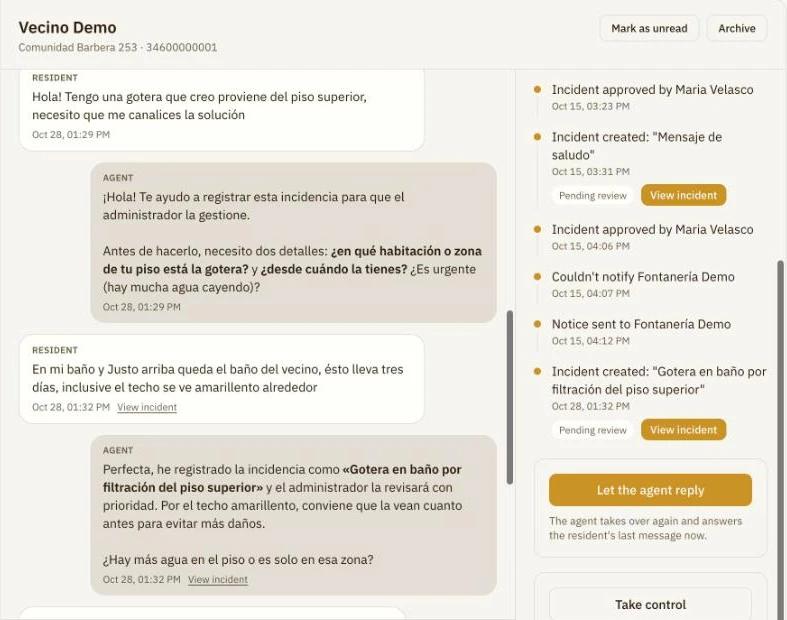
I have a leak in the bathroom, it's been three days
I'll help you log it. Where is the water coming from?
Incident created
Bathroom leak from the flat above
Plumbing, urgent priority
Fewer messages to handle one by one
- The agent asks the resident for any missing details before opening the incident.
- Every report arrives classified, instead of getting lost on a phone or in an inbox.
- You notify the supplier in one click and the resident gets the confirmation on WhatsApp.
How it works
- 1
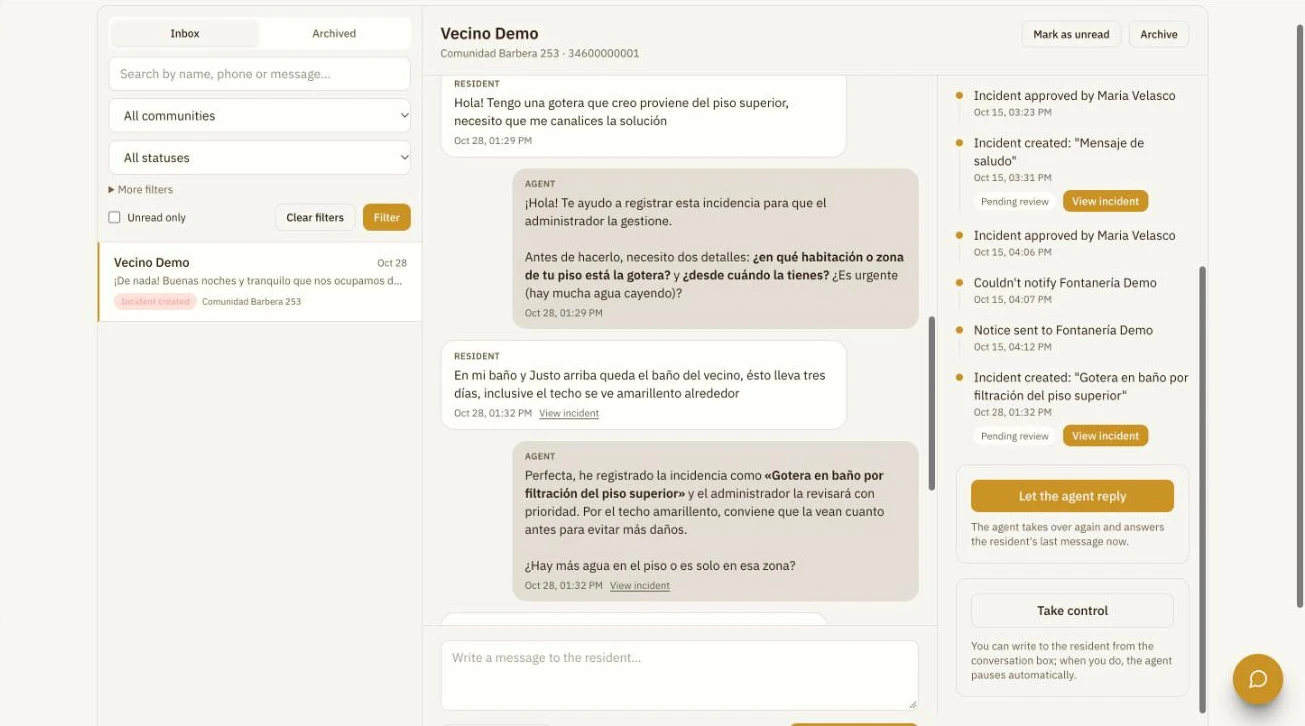
The resident writes and the agent responds
It answers questions using your firm's information, asks for what's missing and opens an incident when there is one. The whole conversation stays in Wabee, with its follow-up.
- 2
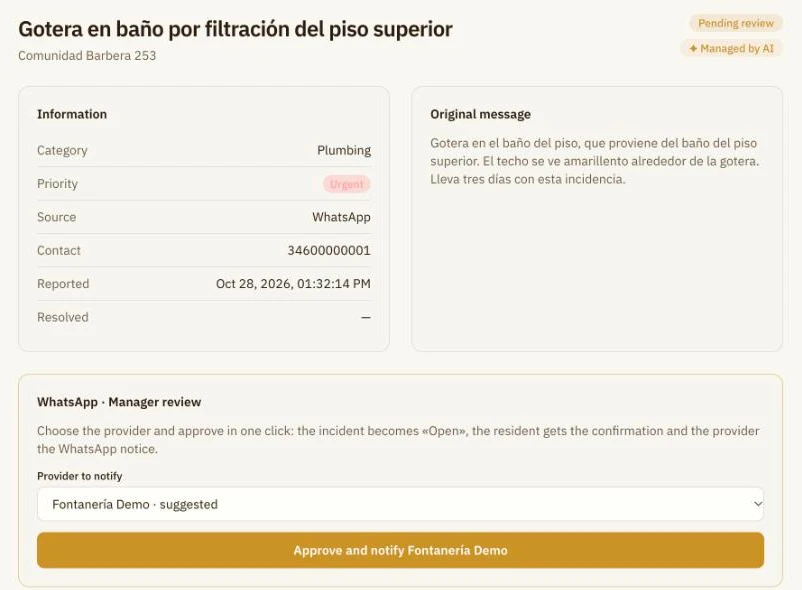
Approve and notify the supplier in one click
The incident arrives with its category, priority and a suggested supplier. Once approved, it becomes "Open", the resident gets the confirmation and the supplier the WhatsApp notice.
- 3
You decide how the agent works
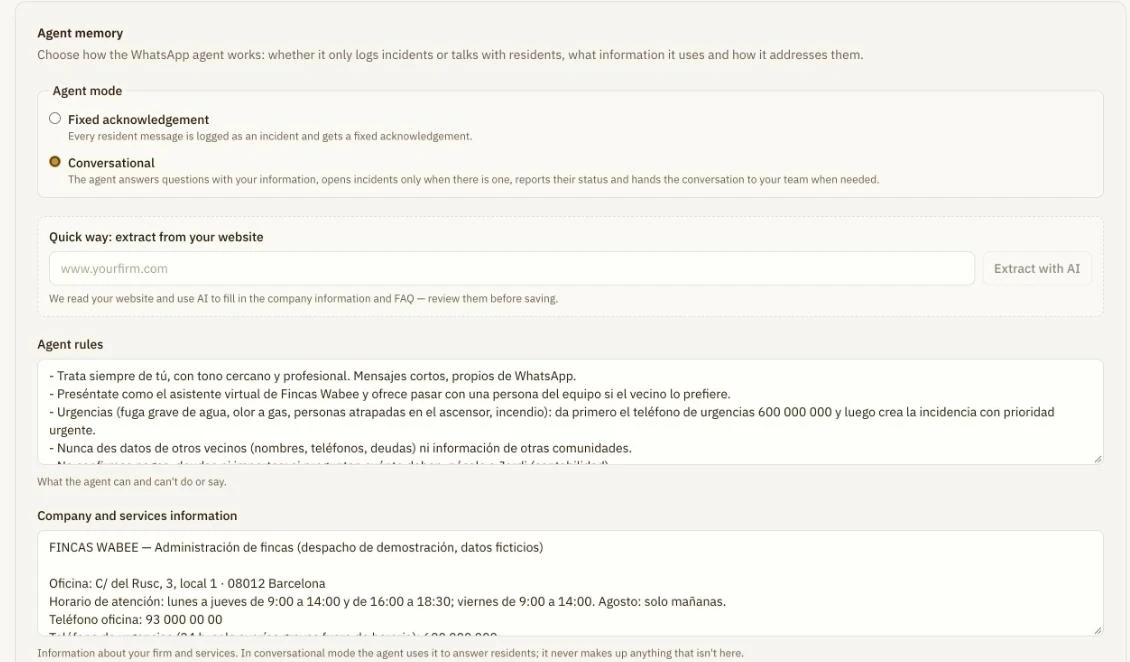
Set its rules, your firm's information and FAQs, or extract them from your website with AI. You also choose between conversational mode and a fixed acknowledgement.
Frequently asked questions
Can someone from the firm step in?
Yes. You can take control or write to the resident from the conversation, and the agent pauses so you don't both reply.
Can residents send photos?
Yes. A photo sent right after an incident is opened is added to that incident.
Does it understand voice messages?
Not yet. For now it works with text messages and photos.
Can the agent share other residents' data?
No. For data protection, it never confirms which communities you manage or shares residents' data, and it answers from the information you give it.
See the agent in action
30 minutes, no commitment.