
Your property management firm's whole day on one screen
Incidents, invoices, debtors and leads, sorted by priority. Open Wabee and know where to start.
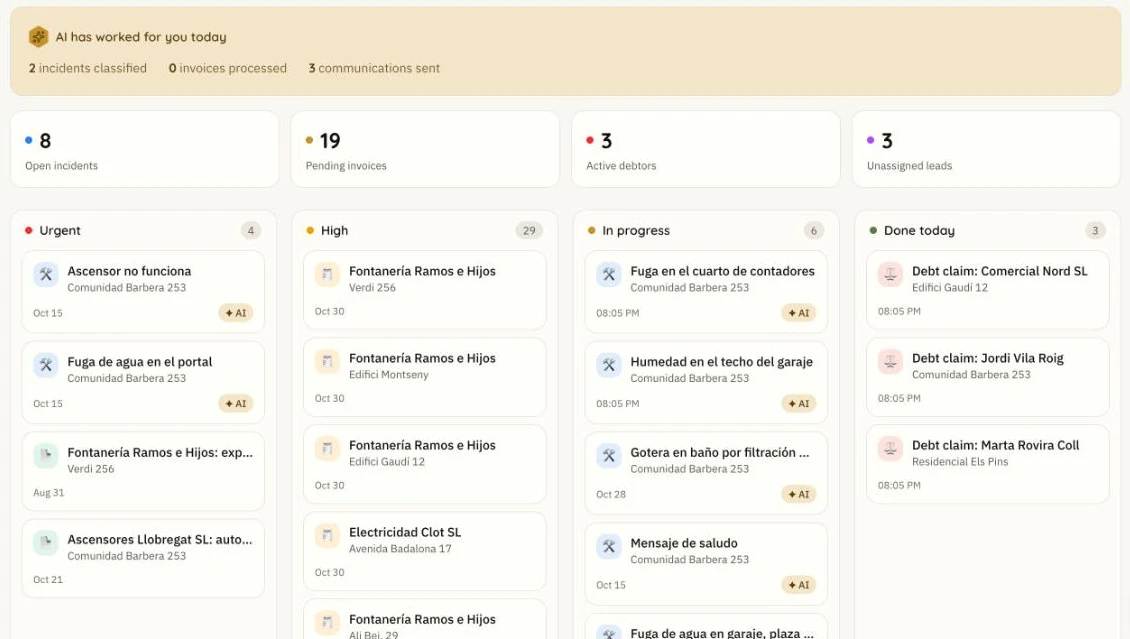
AI has worked for you today
2 incidents classified
3 communications sent
Start the day knowing what's urgent
- No need to open every module to see what's pending.
- Urgent work comes first, whether it's an incident or a contract.
- See what the AI did today without asking for a report.
How it works
- 1
Your day, sorted when you open Wabee
My day brings together the tasks of all your communities on one dashboard, or just the one you choose.
- 2
What the AI did and what's left
See incidents classified and communications sent today, alongside open incidents, pending invoices, debtors and unassigned leads.

- 3
Every task at its priority
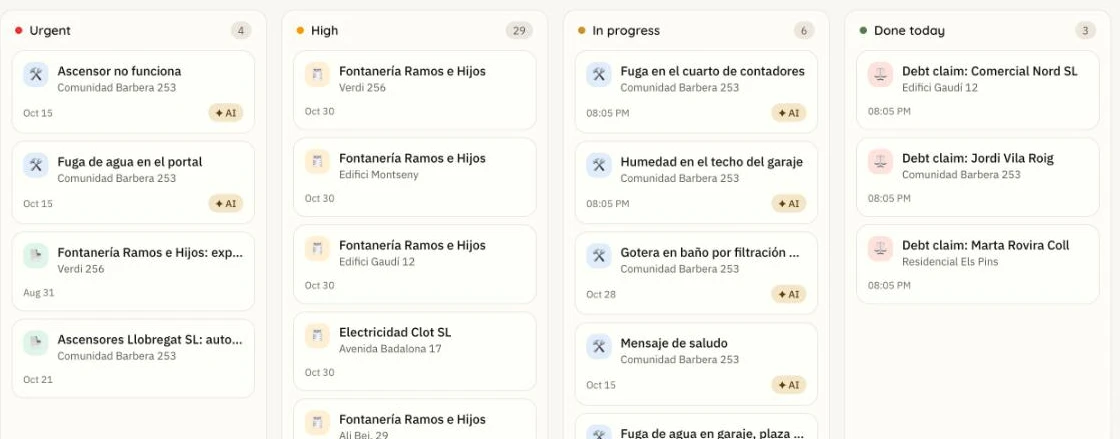
Tasks are split into Urgent, High, In progress and Done today, each with its community and date.
Frequently asked questions
What appears in My day?
Incidents, invoices, debt claims and contract alerts, plus indicators for unassigned leads.
Does the whole team see the same thing?
Each manager only sees the communities assigned to them.
Can I view a single community?
Yes. Choose the active community in the menu and the dashboard filters.
Does it connect to my calendar?
Not yet. It's a planned improvement.
See My day with your communities
30 minutes, no commitment.