

Manage your communities' arrears with AI
See what each owner owes and what stage their claim is at. When you decide, the AI drafts and sends the right notice.
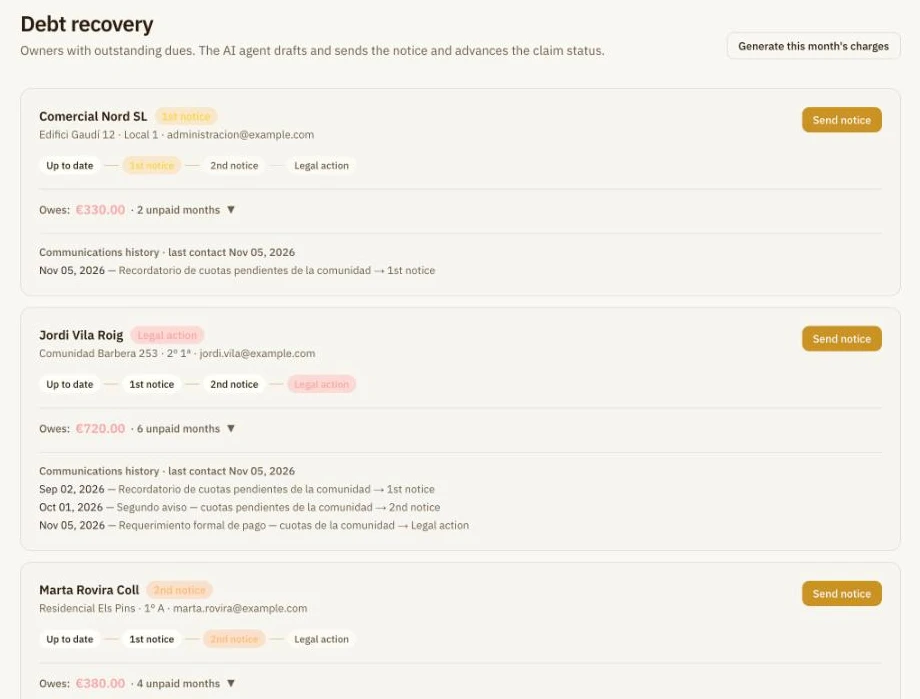
Jordi Vila Roig owes
€720.00
6 unpaid months, legal action
Know who owes what, and what comes next
- Real amounts and unpaid months, not just a notice status.
- Each claim moves through stages: first notice, second notice and legal action.
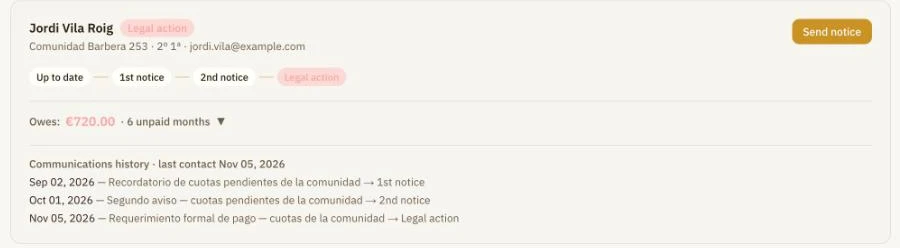
- Every notice stays in the owner's history, with its date.
How it works
- 1
See all arrears at a glance
Each owner appears with their community, what they owe, unpaid months and claim stage.
- 2
Track charges month by month
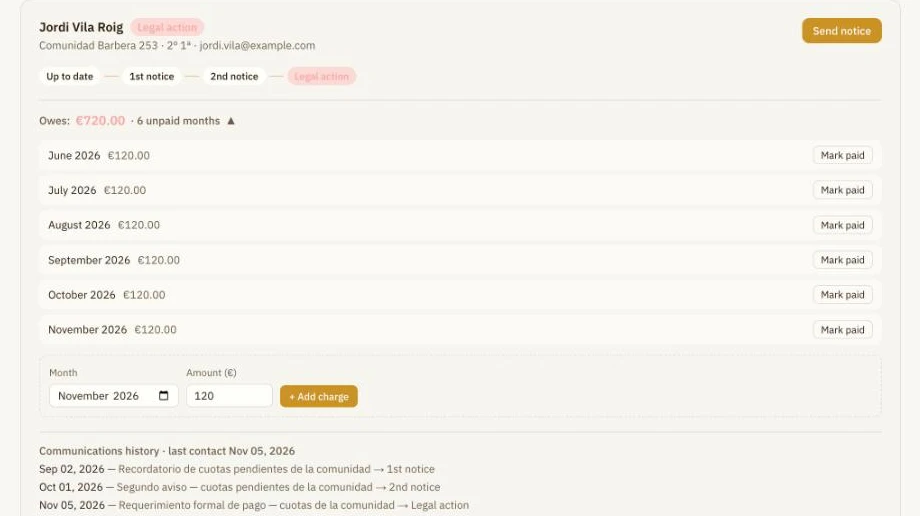
Generate the month's charges, add a charge or mark a payment from the same record.
- 3
Send the right notice
Press "Send notice": the AI drafts it, emails it, advances the stage and saves it to the history.
Frequently asked questions
Does the AI send notices on its own?
No. You send them from each owner's record with the "Send notice" button. The AI drafts and sends it.
What language are notices in?
The community's document language: Spanish, Catalan, English or German.
Does Wabee start court proceedings?
No. The "Legal action" stage sends a formal payment demand and records it in the history. Court proceedings remain with your firm.
Can I add other charges?
You can add charges by month and amount, and mark each one as paid.
See how to keep arrears under control
30 minutes, no commitment.